
4 Best Monitor Risers with Storage for a Clutter Free Desk
Discover the best monitor risers with storage, including dual-monitor stands, bamboo designs, drawers, and space-saving features for a tidy desk.
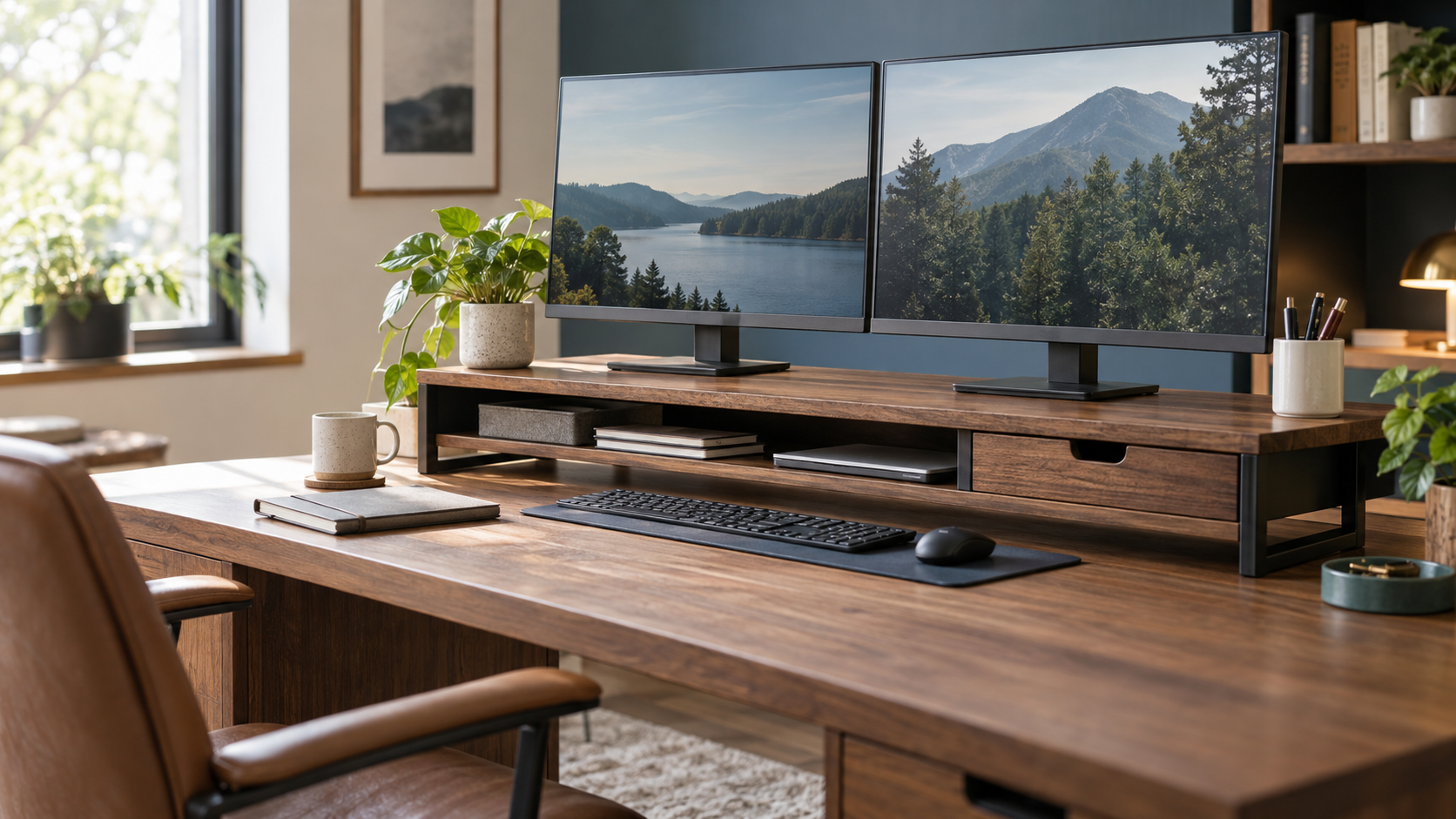
A desk can become cluttered surprisingly quickly. Your monitor takes up a large part of the surface, your keyboard needs room to move, and small essentials such as pens, sticky notes, cables, and notebooks somehow end up everywhere.
One practical solution is a monitor riser with storage. By raising your screen, it can create useful space underneath while giving everyday desk accessories a more organized home. Some models include a drawer, while others offer open shelving, adjustable width, or compartments for smaller supplies.
The trick is choosing a stand that suits the way you work. A person using two monitors has different needs from someone working on a laptop at a compact bedroom desk.
In this guide, we compare four monitor risers with storage the Simple Houseware, ROCDEER, gianotter, and WESTREE models. Each offers a different combination of workspace organization, screen elevation, and design.
Our quick recommendations:
- Best overall for customizable organization: Simple Houseware Dual Monitor Stand Riser
- Best for small desks and single monitor setups: ROCDEER Bamboo Monitor Stand Riser
- Best no assembly option: gianotter Dual Monitor Stand Riser
- Best for a straightforward dual monitor setup: WESTREE Dual Monitor Stand Riser
Best Monitor Risers with Storage: At a Glance
| Product | Best for | Main storage features | Listed dimensions |
|---|---|---|---|
| Simple Houseware | Flexible dual monitor organization | Drawer, adjustable compartments, side caddies, phone/tablet holder | 33.3–45 in wide, about 10.9 in deep and 5 in high |
| ROCDEER Bamboo | Compact single monitor setups | Drawer, lower shelf, cable slot | 23.63 × 7.88 × 4.53 in |
| gianotter | Ready to use organization | Drawer, two pen holders, open space underneath | 40.6 × 9.3 × 4.3 in |
| WESTREE | Simple dual-monitor setups | Open shelf underneath | 35.8 × 10.2 × 4.92 in |
Dimensions and features above reflect the supplied listings. Confirm the selected product variation and its current specifications before ordering.
What to Look for When Choosing a Monitor Riser with Storage
A useful monitor stand should do more than hold a screen. It should fit your desk, suit your equipment, and make everyday work a little easier.
1. Measure your available desk space
Start with the width and depth of your desk. A long dual monitor riser may look attractive in a product photo, but it can leave very little room for a notebook, desk lamp, or other essentials.
If you have a compact workspace, a narrow single monitor stand may be the more practical choice. If you use two monitors, measure their combined footprint and leave enough clearance for cables and other desk accessories.
2. Decide whether you need a drawer or an open shelf
An open shelf is useful for storing a keyboard, small notebooks, or other items you want to access quickly. It also makes the area beneath your screen easier to see.
A drawer is better for smaller supplies that tend to scatter across a desk, including paper clips, sticky notes, charging accessories, and pens.
Some designs combine both options, giving you open storage for larger items and concealed storage for the little things.
3. Check the monitor’s weight and position
Every monitor riser has a physical limit, and not all product listings state the same capacity. Check the listed weight limit rather than assuming that a stand will support a particularly large display.
Screen height matters, too. Raising a monitor can help bring it closer to eye level, but the best position depends on your chair, desk, and screen size. A riser should improve your setup rather than force you to sit awkwardly.
4. Consider cable management and assembly
If charging cables and monitor wires are part of your everyday clutter, look for a dedicated cable slot or enough room to route cords neatly behind the stand.
Assembly is another practical consideration. Some risers arrive ready to use, while others require you to attach their legs or frame. If you prefer the simplest setup, check this detail before buying.
1. Simple Houseware Dual Monitor Stand Riser Best Overall for Customizable Organization
The Simple Houseware Dual Monitor Stand Riser is the most feature rich organizational option of these four. Instead of offering only a shelf beneath your monitors, it combines expandable width with several ways to sort small office supplies.
The stand has a rustic brown finish and is made from engineered wood. Its width can be configured from approximately 33.3 inches to 45 inches, which gives you some flexibility when arranging two monitors.
Why we like it
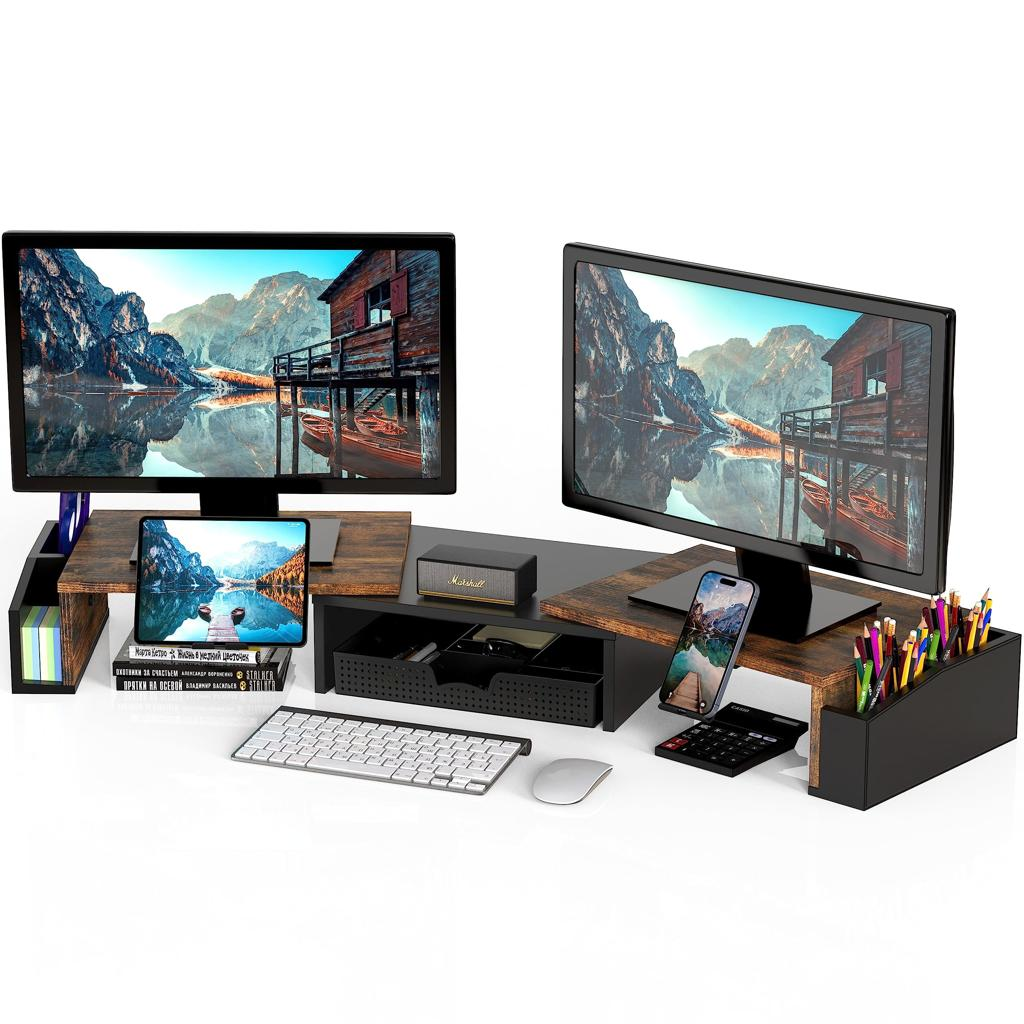
The standout feature is its built-in organization system. The pull out drawer includes six removable dividers that can create up to nine compartments. That gives small items such as pens, sticky notes, paper clips, and charging accessories a more defined place.
The stand also includes side caddies and a holder for a phone or tablet. This is useful if you regularly glance at a second device while working, taking calls, or following instructions on a tablet.
For someone trying to keep a busy workstation organized, having these features in one piece of furniture may be more convenient than buying several separate desk accessories.
Key features
- Expandable width from approximately 33.3 to 45 inches.
- Drawer with six removable dividers and up to nine compartments.
- Built in phone and tablet holder.
- Side caddies for additional small items.
- Engineered wood construction.
- Listed height of approximately 5 inches.
- Assembly is required according to the supplied product information.
Pros
- Offers several storage options in one stand.
- Adjustable width accommodates different desk arrangements.
- The removable dividers allow you to change the drawer layout.
- Phone and tablet holders keep secondary devices accessible.
- Particularly useful when a workspace has many small accessories.
Cons
- The fully extended configuration requires considerable desk width.
- Its multiple compartments may be unnecessary if you only need a simple screen riser.
- The approximately 5 inch elevation may not suit every chair, desk, and monitor combination.
Best for
People who use two monitors, keep several small office supplies nearby, and want more control over how their workstation is arranged.
Our recommendation
Choose the Simple Houseware model when storage organization is just as important as elevating your screens. Its adjustable layout and divided drawer make it the most versatile choice in this comparison.
[Check Price on Amazon — https://link.amazon/B09FRl6Qh]
2. ROCDEER Bamboo Monitor Stand Riser Best for Small Desks
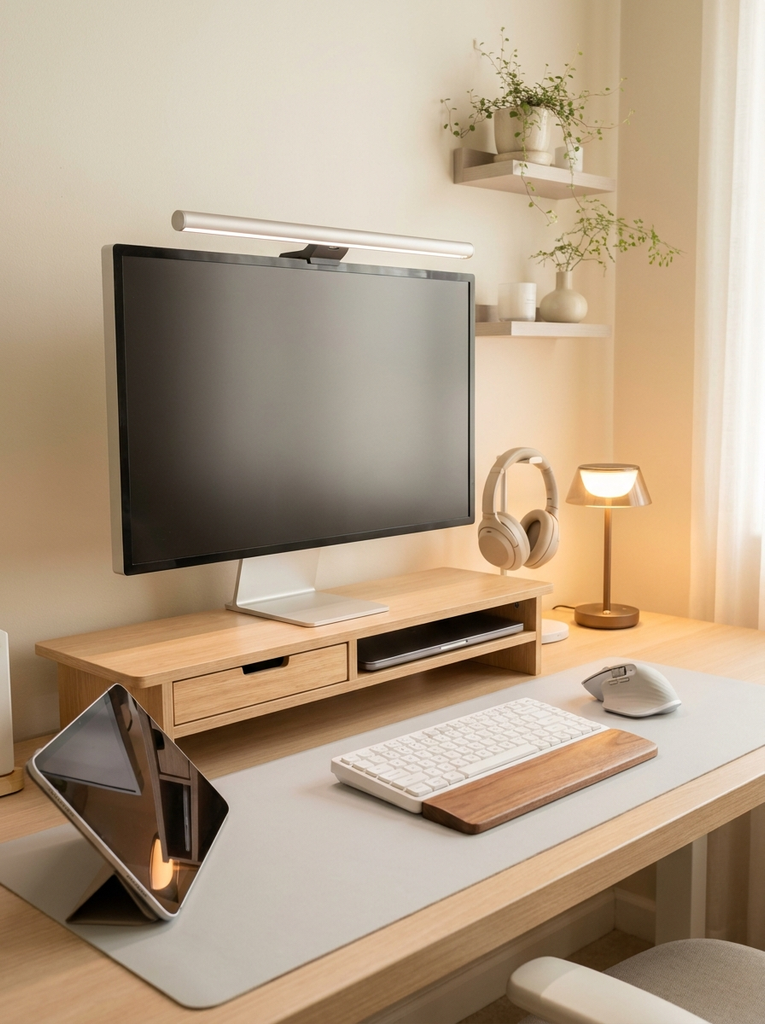
Not everyone needs a long shelf spanning two monitors. If your workstation consists of one screen, a laptop, and a handful of daily essentials, a compact monitor riser can make more sense.
The ROCDEER Bamboo Monitor Stand Riser measures approximately 23.63 inches wide, 7.88 inches deep, and 4.53 inches high. Its natural bamboo finish gives it a warmer appearance than a typical office accessory, making it a natural fit for a bedroom workspace or a simple home office.
Why we like it
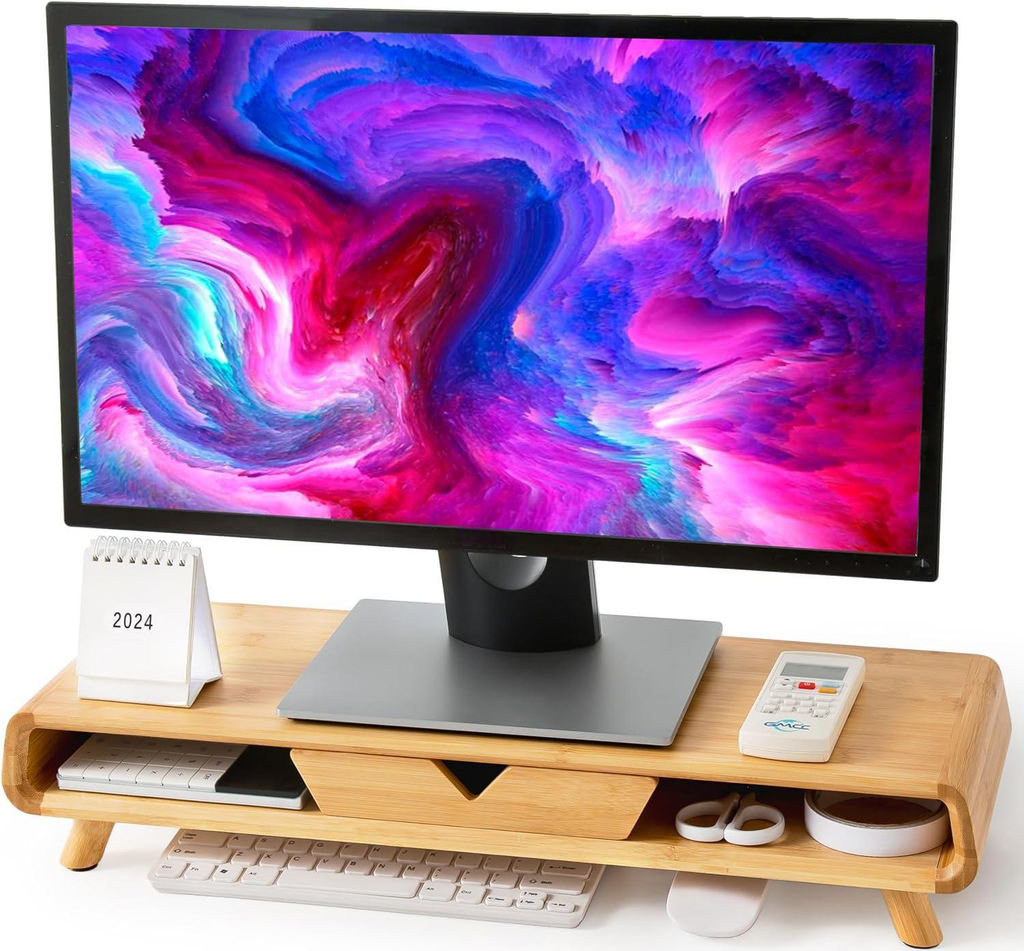
This stand combines a compact footprint with a useful mix of storage features. It includes a drawer for smaller accessories, a lower shelf for items such as a laptop or documents, and a rear cable slot to help route cords away from the main work surface.
The supplied listing specifies a weight capacity of up to 100 pounds and compatibility with most monitors measuring 24–32 inches. Always confirm the current manufacturer’s specifications and your equipment’s weight before purchasing.
The listing also describes removable legs that allow a lower setup. That provides another option for people who do not want as much elevation.
Key features
- Natural bamboo construction.
- Compact dimensions of 23.63 × 7.88 × 4.53 inches.
- Drawer for small office accessories.
- Lower storage shelf.
- Rear cable management slot.
- Listed load capacity of up to 100 pounds.
- Stated compatibility with most 24–32-inch monitors.
- Removable legs for an alternative height configuration.
Pros
- Takes up less width than the dual monitor models in this guide.
- Adds concealed storage without requiring a separate organizer.
- Cable routing helps create a tidier looking desktop.
- Bamboo brings a natural, furniture like appearance to the workspace.
- The lower shelf offers extra flexibility for a laptop or documents.
Cons
- Its narrower surface is not intended to accommodate two full size monitors side by side.
- Storage space is more limited than on the larger dual monitor risers.
- The supplied listing shows a higher purchase price than the other three options.
- The supplied product information does not clearly establish the full assembly requirements.
Best for
Students, remote workers, and anyone with a small home office who wants a compact monitor stand with a drawer and cable management features.
Our recommendation
The ROCDEER is worth considering if you want a monitor riser that feels like part of your home furniture rather than another piece of office equipment. Its natural finish and compact dimensions are especially appealing when space is limited.
[Check Price on Amazon — https://link.amazon/B09NAgHzI]
3. gianotter Dual Monitor Stand Riser Best No Assembly Option
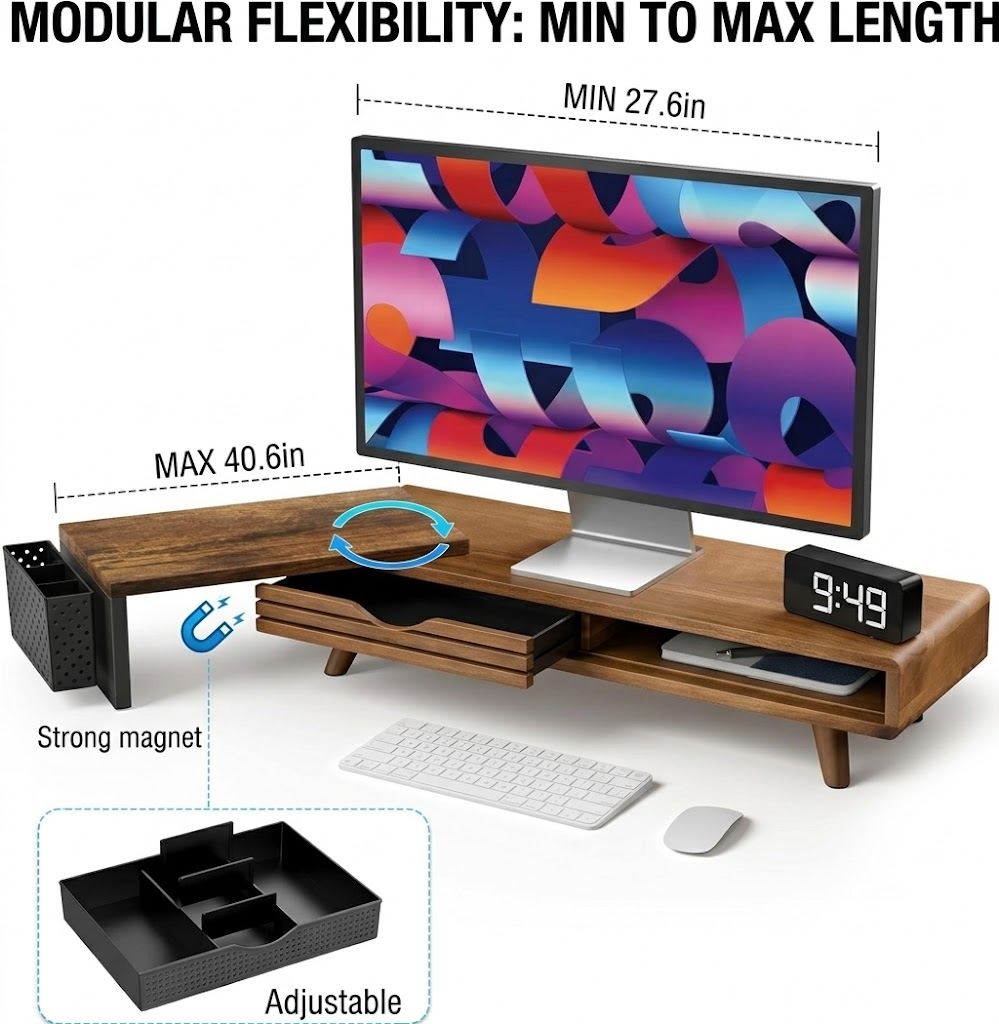
For some people, a desk organizer is useful only if it is easy to set up and does not create another project. The gianotter Dual Monitor Stand Riser is the most straightforward option here for that kind of buyer.
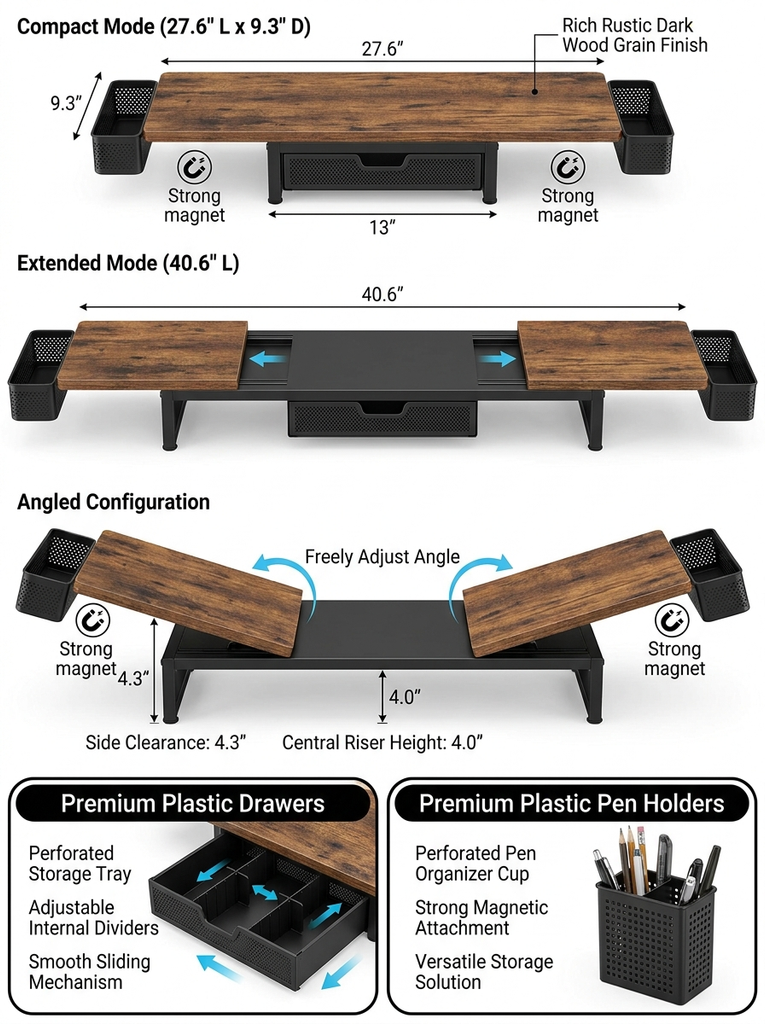
The supplied listing describes a wood finish top, a metal and wood construction, a drawer, and two magnetic pen holders. It measures approximately 40.6 inches wide, 9.3 inches deep, and 4.3 inches high.
Why we like it

Its appeal is the combination of screen elevation and everyday storage without an assembly step. According to the listing, the stand is ready to use after unpacking.
The drawer can hold smaller supplies, while the two pen holders keep frequently used stationery close at hand. The area underneath the shelf can also be used for a keyboard, mouse, or other compatible accessories when they are not needed on the desktop.
The listing images show different positioning configurations, so check the current variation carefully if you specifically want an adjustable layout.
Key features
- Wood finish surface with metal components.
- Approximately 40.6 × 9.3 × 4.3 inches in the supplied listing.
- One drawer for desk accessories.
- Two magnetic pen holders.
- Open space underneath for compatible accessories.
- Listed as requiring no assembly.
Pros
- No assembly is required according to the listing.
- Combines a monitor shelf, drawer, and pen holders.
- Provides room beneath the screen for organizing everyday desk items.
- Available in several colour options in the supplied listing.
- Offers a straightforward way to combine monitor elevation with desk organization.
Cons
- Its long footprint may be excessive for a very small desk.
- The supplied information does not provide a clear weight capacity figure.
- Review summaries in the supplied listing include some concerns about stability and the magnetic accessories, so checking recent reviews is sensible.
- It does not offer the same phone/tablet holder and configurable drawer arrangement as the Simple Houseware model.
Best for
Someone who wants to organize a dual-monitor workspace without assembling another desk accessory.
Our recommendation
Consider the gianotter if convenience is your priority. The built in drawer and two pen holders are useful for keeping small supplies together, while the ready to use design keeps setup simple. Confirm that its listed dimensions and current configuration suit your equipment.
[Check Price on Amazon — https://link.amazon/B0aWTtx9h]
4. WESTREE Dual Monitor Stand Riser Best for a Straightforward Dual Monitor Setup
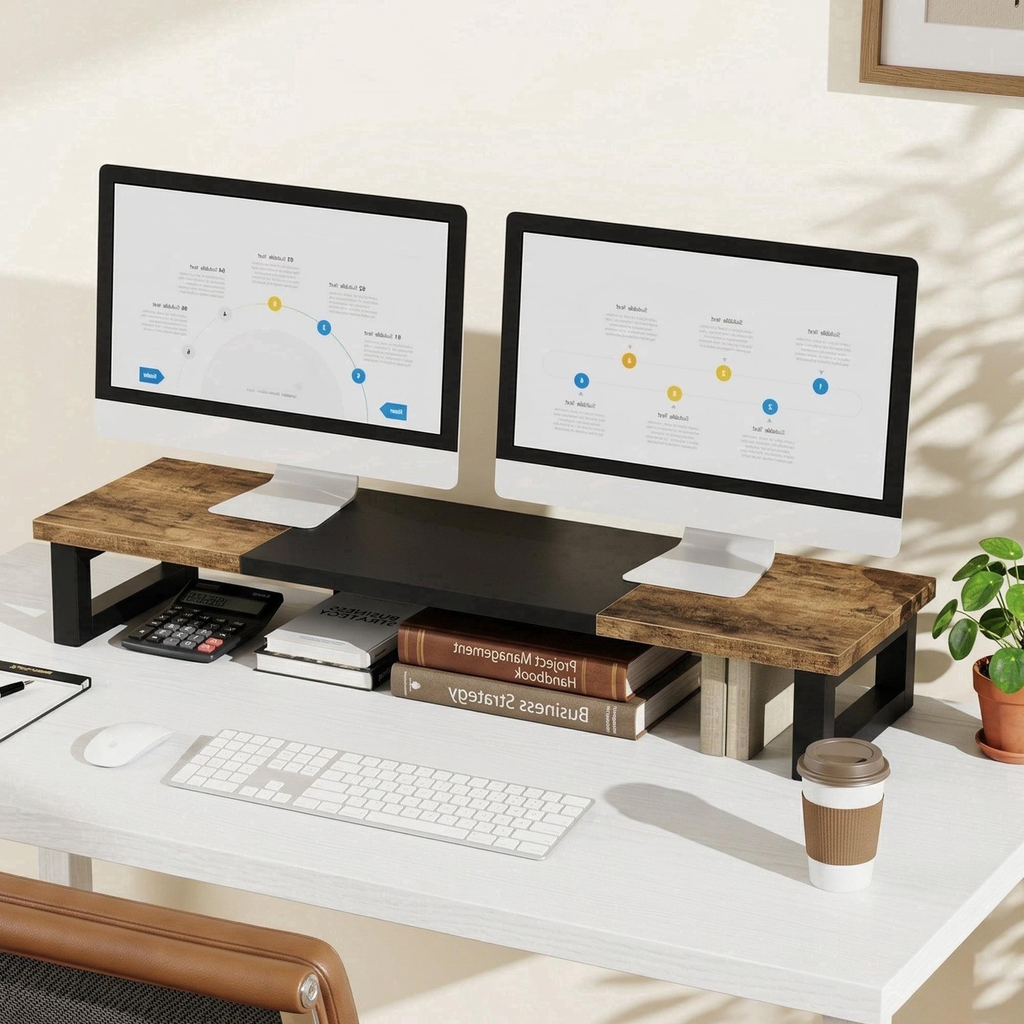
Sometimes a desk does not need a complicated organizing system. A raised shelf with useful space underneath can be enough to make a workspace feel less crowded.
The WESTREE Dual Monitor Stand Riser takes this simpler approach. Its supplied listing describes a rustic brown top with a black steel frame, designed to support two monitors while providing an open shelf below.
Why we like it
The open lower area gives you somewhere to keep items that would otherwise compete for space on the desktop. Depending on their size, you could use it for a keyboard, notebooks, or other everyday accessories.
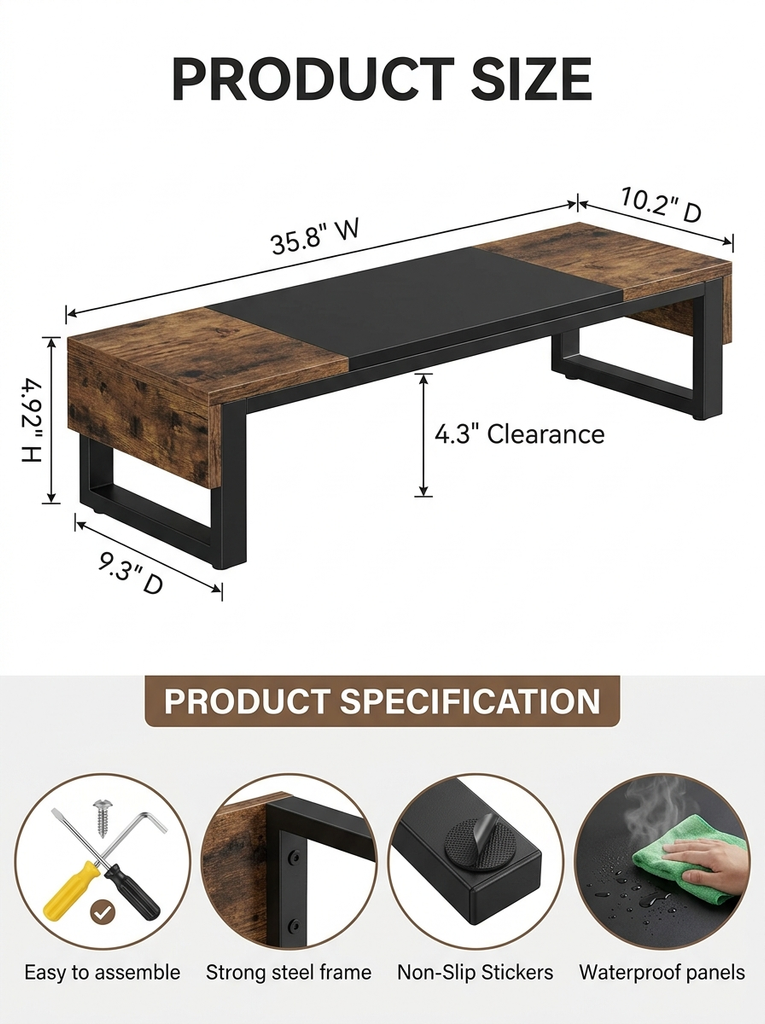
The supplied specifications list dimensions of approximately 35.8 × 10.2 × 4.92 inches. The product description also mentions anti slip pads, pre drilled holes, assembly tools, and instructions.
Unlike the more elaborate organizers in this guide, this model does not include a dedicated drawer or a system of small item compartments. That simplicity may suit people who prefer to keep most of their supplies in a separate drawer or organizer.
Key features
- Dual monitor stand design.
- Rustic brown wood look surface.
- Black steel frame.
- Open storage space underneath.
- Anti slip pads.
- Assembly tools and instructions included, according to the listing.
- Listed dimensions of approximately 35.8 × 10.2 × 4.92 inches.
Pros
- Provides an uncomplicated way to raise two monitors.
- Open space underneath can help free the main desktop surface.
- The rustic brown and black combination works with many industrial style workspaces.
- The supplied listing includes assembly tools and instructions.
- Does not add a drawer or multiple organizers that you may not need.
Cons
- Assembly is required.
- There is no dedicated drawer for hiding small stationery items.
- The listing does not provide a clear weight capacity figure in the supplied information.
- The wood look finish should not automatically be interpreted as solid wood check the current material specifications if that matters to you.
Best for
People with two monitors who want a simple desktop shelf and prefer open storage to drawers and compartments.
Our recommendation
The WESTREE is the option to consider when your main goal is lifting two monitors and making the space underneath more useful. It is less focused on small item organization than the Simple Houseware and gianotter models, but that may be exactly what you need.
[Check Price on Amazon — https://link.amazon/B0gnHFWm3]
How to Choose the Best Monitor Risers with Storage for Your Desk
With four different designs to consider, it helps to work backward from your actual workspace rather than choosing the one with the longest feature list.
Choose according to your number of monitors
If you use two monitors, start by comparing the Simple Houseware, gianotter, and WESTREE models. Their larger shelf designs are intended for dual monitor arrangements, although you should still measure your screens and check the manufacturer’s specifications.
For a single monitor on a smaller desk, the ROCDEER is the more compact option. It also has a lower shelf and cable slot, which can be useful when you want a tidy setup without adding a wide desktop accessory.
Match the storage to what you need to put away
Think about the things that regularly make your desk feel messy.
If pens, paper clips, sticky notes, and charging accessories are the main issue, a divided drawer such as the Simple Houseware’s can help separate those items. The gianotter offers a simpler alternative with one drawer and two pen holders.
If you primarily want somewhere to slide a keyboard or place a notebook, an open shelf may be all you need. That is where the WESTREE’s simpler design makes sense.
The ROCDEER combines an open lower shelf with a smaller drawer, giving a single monitor workspace both types of storage.
Consider the style of your home office
A monitor riser sits in the middle of your desk, so its finish can influence the overall look of the room.
Bamboo brings natural colour and texture to a workspace. A rustic wood-look top with a black frame has a more industrial feel. The Simple Houseware’s organizer layout may appeal to people who want their stationery and accessories to have defined places.
For more visual inspiration, see our guides to cozy desk setup ideas and Japandi office ideas.
Check the real dimensions before you order
Pay particular attention to width, height, and depth.
A long riser can leave less space for a lamp or notebook than you expect. A five inch lift might be comfortable for one person and too high for another, depending on the desk and seating arrangement. A compact stand may fit your screen but leave less room underneath for a full size keyboard.
Measure your equipment and desk before making a decision. Check the listed weight capacity where available, especially if you have a heavy monitor.
Remember that a monitor riser is only one part of an organized workspace
Even a well designed stand cannot fix every type of desk clutter. Loose charging cables may need cable clips or a separate cable organizer. Documents may be easier to manage in a vertical file holder. Items used only occasionally can be stored outside your immediate work area.
If you are arranging a smaller workspace, our guide to tiny house office ideas has further inspiration for making limited space work harder.
For a broader look at stationery trays, paper organizers, and other desktop accessories, explore our guide to the best desk organizers for home office setups.
Frequently Asked Questions
Are monitor risers with storage worth it?
They can be useful if you want to raise your screen and reclaim some desktop space at the same time. Models with drawers offer a place for small supplies, while open shelf designs provide room for a keyboard and other compatible accessories. The benefit depends on whether the dimensions and storage arrangement suit your desk.
What is the best monitor riser with storage for a small desk?
Of these four options, the ROCDEER Bamboo Monitor Stand Riser is the most compact, at approximately 23.63 inches wide. Its drawer and lower shelf add storage without taking up the width of a dual-monitor riser. Measure your screen and desk before ordering.
Which monitor stand is best for two monitors?
The Simple Houseware, gianotter, and WESTREE models are all listed as dual monitor risers. The Simple Houseware offers the most elaborate storage arrangement, the gianotter focuses on convenient ready to use organization, and the WESTREE has a straightforward open-shelf design. Your monitor sizes, total weight, and desk dimensions should determine which one is appropriate.
Is a monitor riser with a drawer better than an open shelf stand?
Neither design is automatically better. A drawer helps conceal small supplies and keeps them grouped together. An open shelf is convenient for storing items such as a keyboard or notebook that you use frequently. A combination of both can work well if you need a little of each.
Do monitor risers help with screen height?
A monitor riser raises the screen, which can help you position it more comfortably for your seated working arrangement. The correct height depends on your monitor, chair, and desk. A riser that is too tall can be just as inconvenient as a screen that sits too low, so check the dimensions before choosing one.
What should I check before buying a dual monitor riser?
Measure your combined screen width, the available desk depth, and the desired height. Check the listed weight capacity, construction materials, assembly requirements, and any included storage components. If you want to keep cables tidy, look for a cable slot or plan how the cords will run behind the stand.
Can a bamboo monitor stand work in a bedroom office?
Yes. A compact bamboo stand can fit comfortably into a bedroom workspace, particularly if you want a warm, natural finish rather than a more industrial office look. Check the width and height against your monitor and desk, and make sure the storage underneath accommodates your everyday accessories.
Which of these monitor risers is easiest to set up?
The supplied gianotter listing explicitly states that no assembly is required. The WESTREE listing says assembly tools and instructions are included, while the Simple Houseware listing specifies that assembly is required. The supplied ROCDEER information does not clearly establish the assembly requirements, so check its current listing before buying.
Final Thoughts
The best monitor riser with storage is the one that solves the problem you actually have a screen that sits too low, an overcrowded desktop, or small supplies that never seem to stay organized.
For a flexible dual monitor setup with plenty of built in organization, the Simple Houseware model is the strongest all round choice in this comparison. The ROCDEER is worth considering for a compact single monitor workspace, while the gianotter suits people who want a ready to use riser with a drawer and pen holders. The WESTREE is a straightforward option if an open shelf is enough.
Before choosing, measure your workspace, check the current specifications, and think about what you would store underneath the stand. A little planning will help you choose an organizer that fits your actual work habits instead of adding another object to an already crowded desk.